

A hacked Facebook account can quickly spiral beyond a simple social media nuisance. When unauthorized users gain access, they can alter your login credentials, replace your recovery email or phone number, blast spam messages to your contacts, publish unauthorized posts, or weaponize your profile for financial scams.
Regaining control swiftly through official recovery channels is your absolute first priority. Once secured, you must investigate what the attacker changed and lock down your digital footprint to prevent future breaches.
🚨 Critical Warning: Beware of Recovery Scammers!
If your account is hacked, do not trust anyone on Instagram, Telegram, WhatsApp, or random Facebook comments claiming they can “hack your account back” for a fee or a crypto deposit. These are extortionists and scammers capitalizing on your panic. Meta employees will never message you directly to recover your password. Always use official automated channels.
1. Quick Answer: What to Do First
If you believe your account has been compromised, head straight to Facebook’s Official Hacked Account Recovery Page.
Tip: Whenever possible, initiate your recovery from a trusted device (phone, laptop, or browser) that you have previously used to log into your Facebook account.
Post-Recovery Security Checklist:
- Change your Facebook password immediately.
- Create a complex, unique password (avoid reusing passwords from other sites).
- Review active login sessions and terminate unrecognized devices.
- Verify and clean up your attached email addresses and phone numbers.
- Enable robust Two-Factor Authentication (2FA).
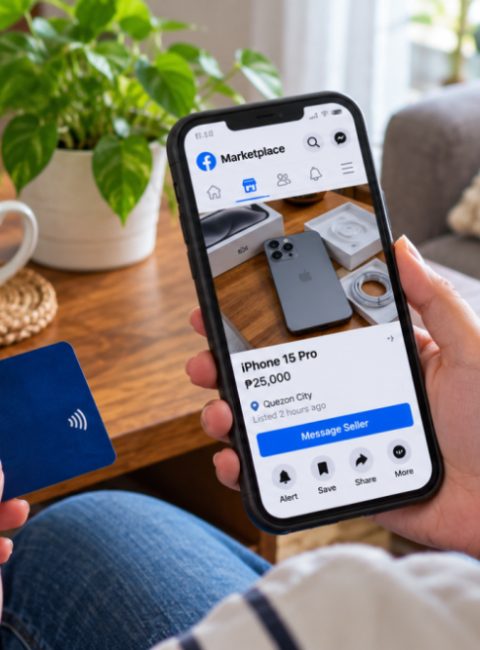
- Audit recent posts, comments, messages, and marketplace activity.
- Disconnect unauthorized third-party apps and websites.
- Review Facebook Page or Business Manager access (if applicable).
- Secure your primary recovery email account.
2. Step-by-Step Recovery Scenarios
Depending on how much access the hacker took, choose the recovery path that matches your situation:
Scenario A: You Can Still Log In
If you noticed suspicious activity or received a security alert but can still access your profile:
- Go to Settings & Privacy > Settings > Accounts Center > Password and Security.
- Change your password immediately.
- Select Where You’re Logged In and click Log Out Of All Sessions (or manually sign out unfamiliar devices).
- Check your registered email addresses and phone numbers under Personal Details to ensure the hacker hasn’t added a backdoor recovery method.
Scenario B: Your Password Was Changed, But Your Email/Phone Is Intact
- Go to the login page and click Forgot password?.
- Enter your phone number or email address.
- Choose to receive a security code via email or SMS.
- Once verified, create a strong new password and lock out all active sessions.
Scenario C: Your Email and Phone Number Were Removed (Fully Locked Out)
If the attacker changed your login credentials entirely:
- Go to facebook.com/hacked and select “My account is compromised.”
- Enter your old email or phone number. When prompted that the password is incorrect, select “Try another way” or “No longer have access to these?”.
- Follow the prompts to submit a video selfie or government-issued ID to verify your identity with Meta’s automated support system.
3. Comprehensive Hardening & Security Audit
Once access is re-established, protect your account against repeat intrusions by executing these three layers of defense:
Layer 1: Secure Your Primary Email First
If a hacker breached your Facebook account, they likely compromised your email first or used it as an entry point.
- Change your email password immediately.
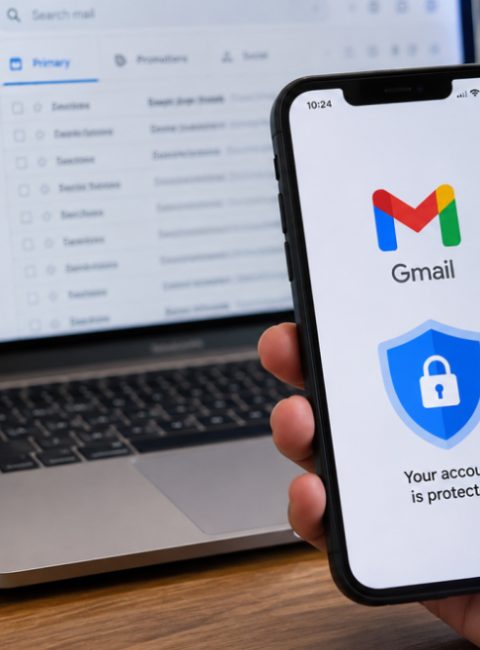
- Enable 2FA on your email provider (Gmail, Outlook, Yahoo, etc.).
- Check your email forwarding settings to ensure the hacker isn’t secretly reading your password reset codes.
Layer 2: Enforce Two-Factor Authentication (2FA)
SMS-based 2FA can sometimes be intercepted via SIM swapping. Upgrade to stronger protocols:
- Authenticator Apps: Use apps like Google Authenticator, Duo, or Authy.
- Passkeys / Security Keys: Utilize hardware security keys (like YubiKey) for unphishable security.
Layer 3: Clean Up Connected Apps & Websites
Over the years, you may have linked third-party games, apps, or quiz sites to your Facebook login.
- Navigate to Settings > Apps and Websites.
- Remove anything expired, unverified, or unrecognized that still holds permissions to read your profile data.
4. Frequently Asked Questions (FAQ)
How long does Facebook ID verification take?
If you had to submit a government ID or video selfie, review times typically range from 24 to 48 hours. Check the secure email address you provided during the recovery request for updates.
Can I recover deleted posts or messages sent by the hacker?
Unfortunately, messages sent by an attacker to your friends cannot be recalled automatically, though you can send a broadcast message explaining you were hacked. Check your Activity Log to delete unauthorized posts, comments, or Marketplace listings.
About the Author: Daniel H. Cruz is a technology and digital security writer focused on practical consumer protection, online privacy, and combating cyber fraud across Southeast Asia.



 Facebook
 Twitter