
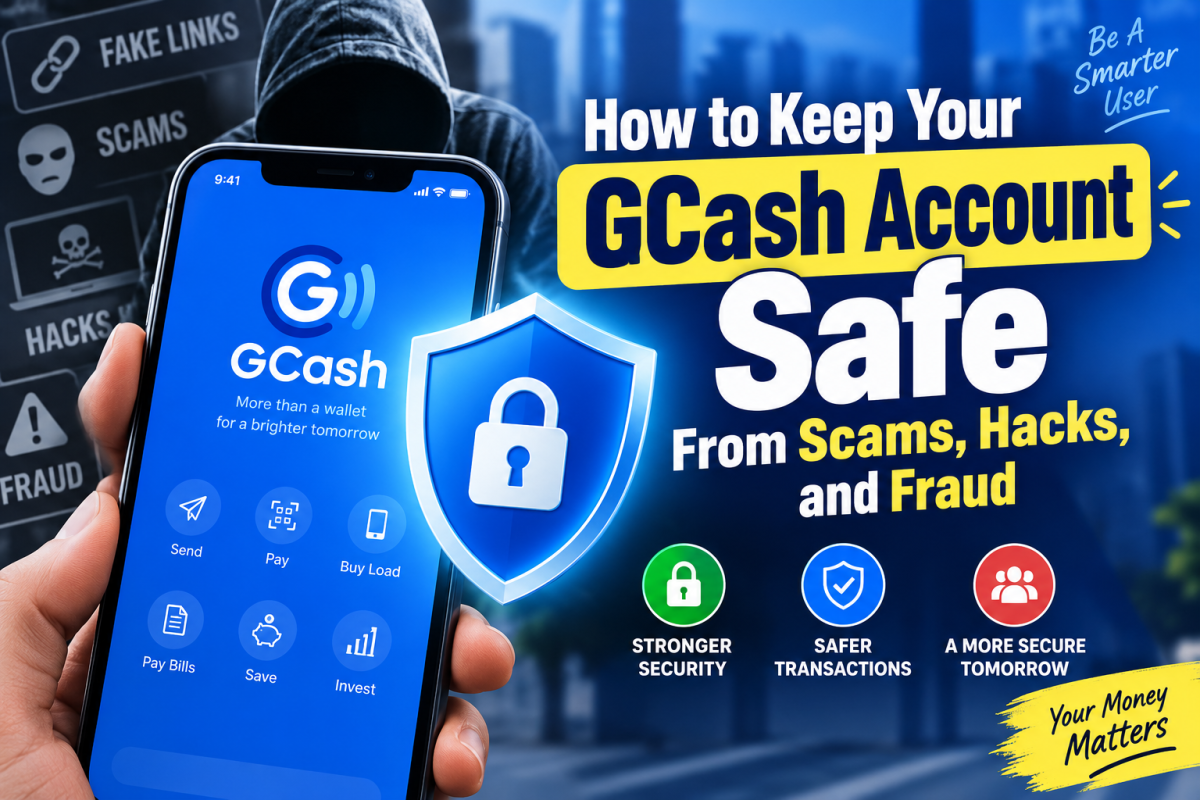
GCash account security is an important part of managing money through a mobile wallet, especially as scammers increasingly use phishing messages, fake customer-support accounts, suspicious links, and social engineering to target users. Because a GCash account can be used to send money, pay bills, shop online, and complete other financial transactions, protecting access to the account requires more than simply keeping an MPIN private. Understanding common scam tactics and using available security features can help reduce the risk of unauthorized access and fraudulent transactions.
Keeping your account safe is not only about having a strong MPIN. Many scams work by convincing the account owner to voluntarily give away sensitive information, click a fraudulent link, or send money to someone pretending to be a legitimate person or organization.
The good news is that many of these attacks can be prevented by recognizing warning signs and using the security features already available in GCash.
Never Share Your OTP or MPIN
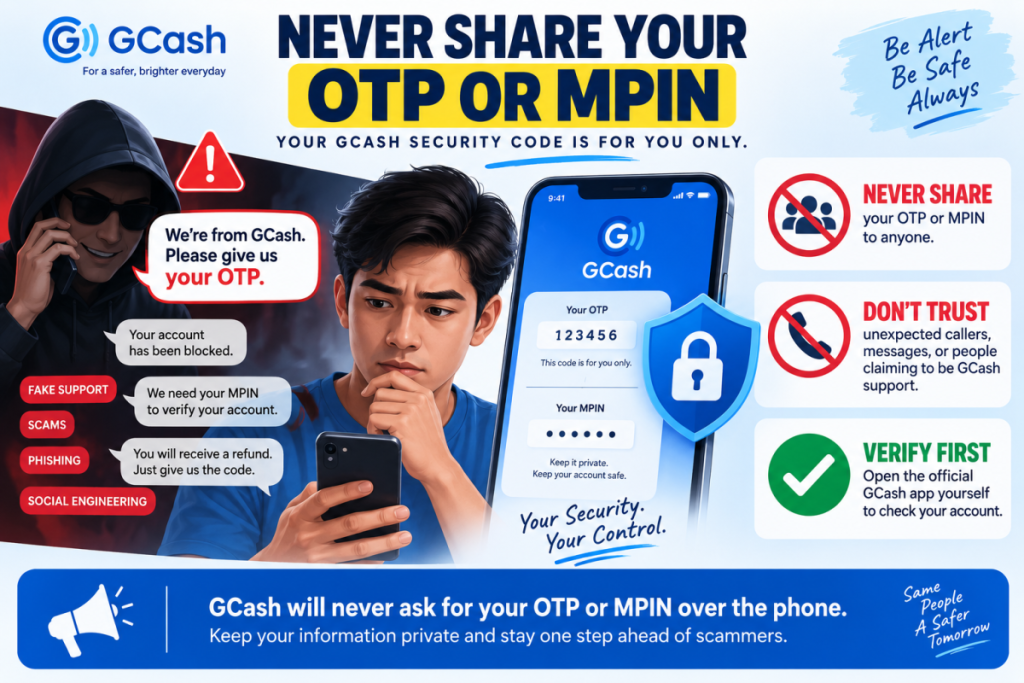
One of the most important rules of GCash security is also one of the simplest: never give your OTP or MPIN to another person.
Your MPIN is used to protect access to your GCash account, while an OTP may be required to verify certain actions. A scammer may pretend to be a GCash representative, bank employee, online seller, delivery company, government employee, or even someone you know.
The conversation may sound convincing, especially if the person already knows your name or mobile number. They may claim that your account has been blocked, that a transaction needs verification, or that you need to provide an OTP to receive a refund.
Do not provide the code.
GCash says it will never ask customers for their MPIN or OTP over the phone. It also warns customers not to share sensitive account information with people claiming to provide customer support.
A useful rule is to treat every OTP as private. If you did not personally initiate the action associated with the code, do not give it to anyone.
Be Careful With Links Sent Through Messages.
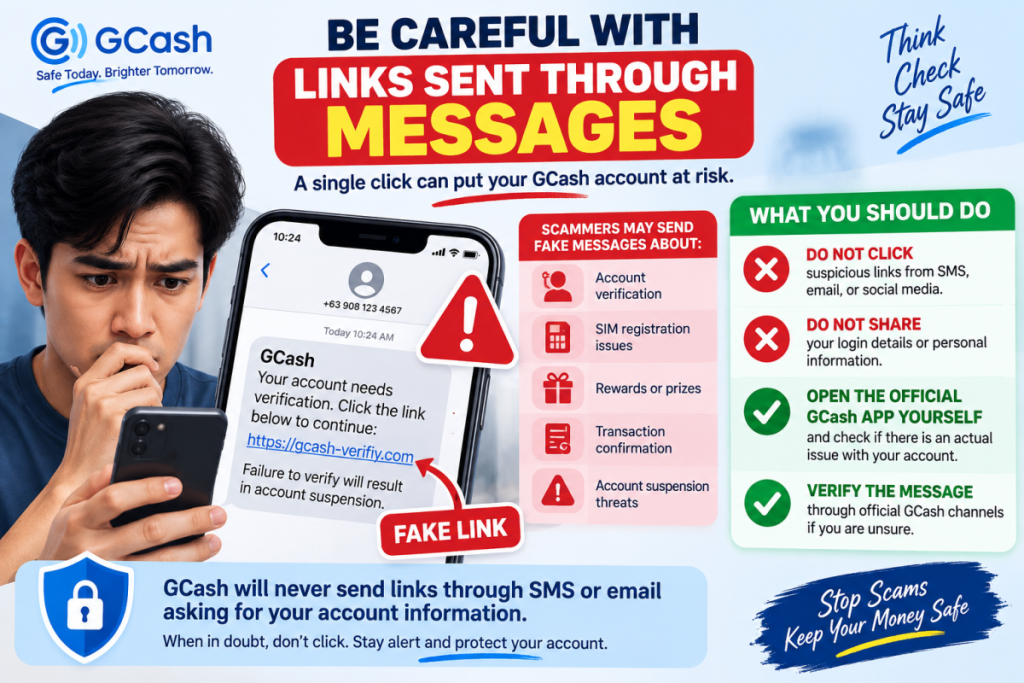
Phishing is one of the most common ways scammers attempt to steal account information.
A fraudulent message may tell you that your GCash account needs verification, that your SIM registration has an issue, that you won a reward, or that you need to confirm a transaction.
The message may contain a link that looks legitimate at first glance. However, the website may be controlled by a scammer and designed to collect your login information or other personal details.
GCash specifically advises users not to click suspicious links and says it does not send links through SMS or email asking customers to provide account information.
Instead of clicking a link from an unexpected message, open the official GCash app yourself and check whether there is actually an issue with your account.
This small habit can prevent a major security problem.
Do Not Trust Someone Just Because They Claim to Be GCash Support
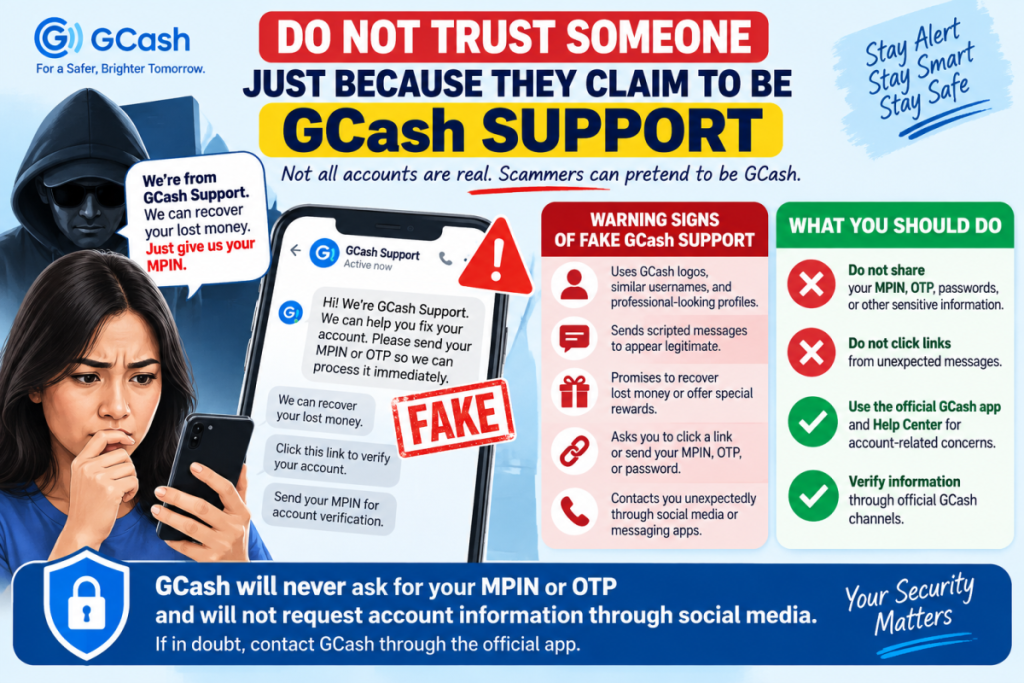
Scammers can create fake customer-service accounts on social media and messaging platforms.
They may use GCash logos, similar usernames, professional-looking profile pictures, and scripted responses to appear legitimate. Some may even tell you that they can recover lost money or fix a problem with your account.
This is where many users make a dangerous mistake: they assume that someone offering help must be an authorized representative.
Do not provide your MPIN, OTP, passwords, or other sensitive information to someone who contacts you unexpectedly.
For account-related concerns, use the GCash app and its official Help Center. GCash itself warns about fake social-media pages pretending to provide customer support and directs customers to official support channels.
Turn On Available Security Features
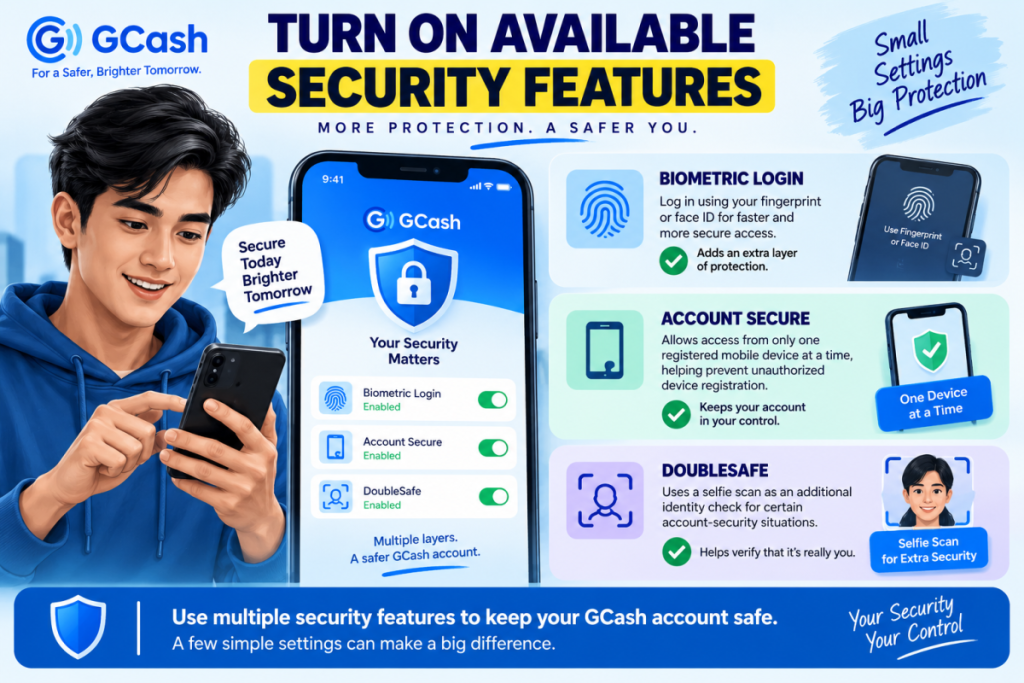
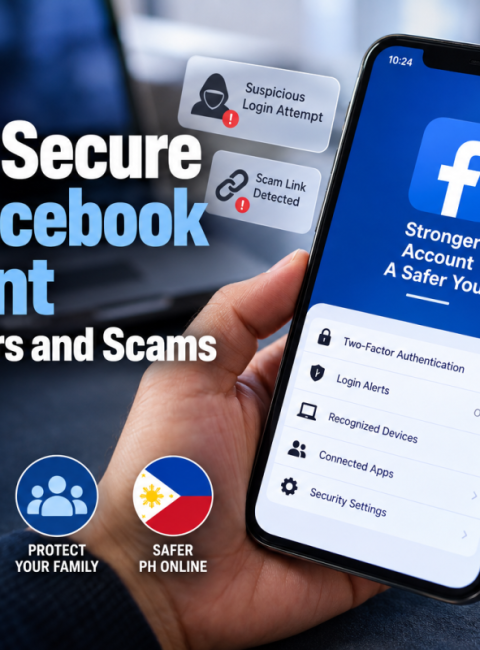
Security features are useful because they add another layer of protection beyond your MPIN.
GCash currently provides features such as biometric login and Account Secure. Account Secure is designed to authorize access from only one registered mobile device at a time, adding protection against unauthorized device registration.
GCash also offers DoubleSafe, which uses a selfie scan as an additional identity check for certain account-security situations.
If these features are available on your account and device, consider enabling them.
The goal is not to rely on a single security measure. Your account should have multiple layers of protection so that obtaining one piece of information does not automatically give a stranger complete access.
Keep Your Phone and GCash App Updated
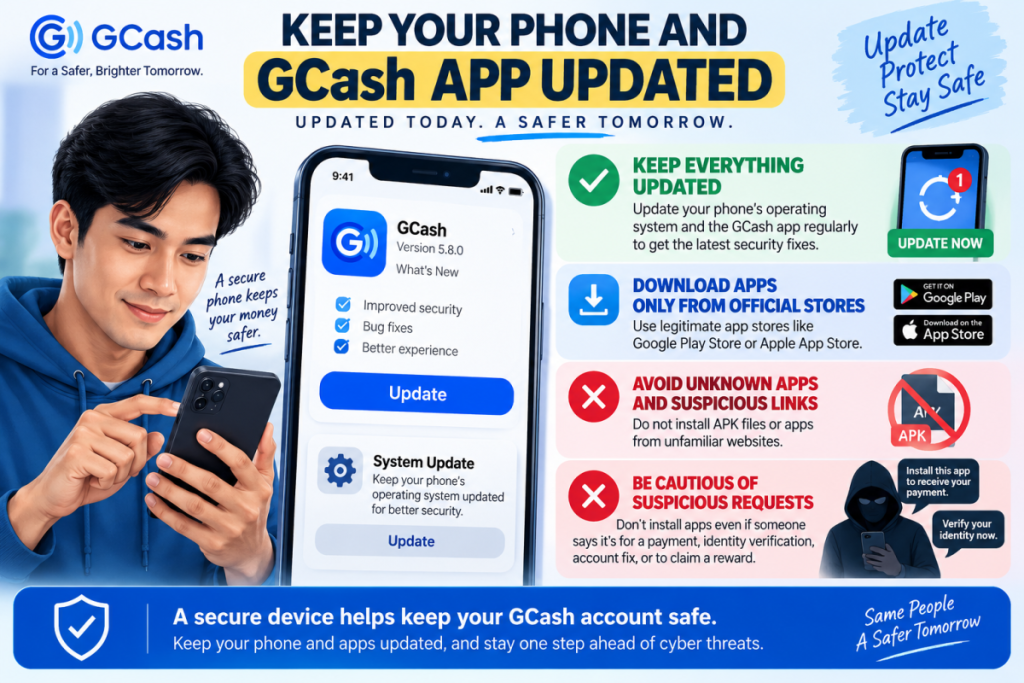
Your phone is effectively part of your financial security system.
If someone gains access to your unlocked phone or installs malicious software on it, your GCash account could become more vulnerable.
Keep your operating system and GCash application updated. Download applications only from legitimate app stores, and avoid installing unknown APK files or applications from suspicious websites.
Be especially cautious when an unfamiliar person tells you to install an app to receive a payment, verify your identity, fix your GCash account, or claim a reward.
A legitimate-looking request can still lead to malicious software being installed on your device.
GCash also advises users to keep the app updated when troubleshooting account-access and security issues.
Protect Your SIM and Mobile Number
Your registered mobile number is closely connected to your GCash account, so protecting your SIM is important.
Keep your SIM card secure and make sure your SIM registration information is handled through legitimate telecommunications channels.
Be suspicious of messages claiming that your GCash account will immediately be suspended unless you click a link and provide personal information.
GCash explains that SIM registration is handled by telecommunications providers and warns that GCash will not ask customers for their information through suspicious links or messages.
If your phone or SIM is lost or stolen, do not ignore it. Contact the appropriate service providers and follow GCash’s procedures for securing or recovering your account.
Check Your Transactions Regularly
You do not need to wait until money disappears before checking your account.
Make it a habit to review your recent GCash transactions, especially after using your account for online purchases, transfers, or other payments.
Look for transactions you do not recognize.
Also remember that an unfamiliar charge is not automatically proof that someone hacked your GCash account. GCash advises customers to check other services where GCash may have been linked as a payment method, such as app stores or subscription services.
If you still cannot identify a transaction, report it through the appropriate GCash support channel as soon as possible.
Think Before Sending Money to Online Sellers
Not every GCash scam involves stealing your account.
Sometimes, the scammer simply convinces you to send money.
This can happen when buying products through social media, responding to extremely cheap offers, paying for supposed investments, accepting fake job opportunities, or sending money to someone impersonating another person.
GCash identifies unexpected offers, pressure to act quickly, high-return investment promises, and unusually cheap products as warning signs of potential scams.
Before transferring money, stop and verify.
Ask yourself:
- Do I know the person or business?
- Is the offer unusually good?
- Am I being pressured to pay immediately?
- Have I independently verified the seller?
- Does the seller have a credible history?
- Am I being asked to pay before receiving something that normally requires verification?
If something feels wrong, do not send the money simply because the seller says the offer will expire soon.
Urgency is often used to prevent people from thinking carefully.
Never Rent, Sell, or Lend Your GCash Account
A person may offer money in exchange for using your GCash account.
This might be presented as an easy way to earn extra income. The person may claim they only need to receive or transfer money temporarily.
Do not agree.
GCash warns customers against allowing other people to buy or rent their accounts because the account holder’s identity may become associated with illegal activity.
Your GCash account should remain under your control. Never allow another person to use your account simply because they promise payment.
Be Suspicious of Pressure and Fear
Scammers often try to control the victim’s emotions before asking for money or information.
They may say:
“Your account will be closed today.”
“Your money is at risk.”
“You won a prize, but you have to pay first.”
“Send the OTP so I can verify your account.”
“Transfer the money now before the offer disappears.”
The common pattern is pressure.
When a message makes you feel that you must act immediately, pause instead.
Open the official GCash app yourself. Check your transaction history. Look for information through the official Help Center. If necessary, contact the legitimate organization using a contact method you found independently rather than using the phone number or link provided by the suspicious person.
Taking a few extra minutes can prevent a costly mistake.
What to Do If You Think Your GCash Account Has Been Compromised
If you suspect that someone has accessed your account or you notice an unauthorized transaction, act quickly.
First, secure your account and change your MPIN when appropriate. Then report the issue through GCash’s official support process.
For unauthorized transactions, GCash currently instructs customers to log in to the app, go to Get Help, and use the support option for unauthorized transactions. GCash says these reports should be made within 15 days of the transaction date.
For a scam transaction where you were tricked into sending money, GCash instructs users to report the transaction through the app and also report the scammer to authorities such as the Philippine National Police or National Bureau of Investigation.
Keep screenshots, transaction references, messages, phone numbers, usernames, receipts, and other relevant evidence. Do not delete important conversations before documenting them.
Most importantly, do not send additional money to a person who claims they can recover your lost funds for an upfront fee. Someone who already knows that you were scammed may try to target you again.
Consider Available Protection for Eligible Transactions
GCash also offers an optional Express Send Scam Insurance product. According to its current Help Center information, the product can provide up to ₱15,000 in coverage for eligible Express Send scam losses, subject to its conditions, exclusions, eligibility requirements, and claims process.
This should not replace good security practices.
Insurance does not mean every scam transaction will automatically be refunded. The current policy contains exclusions, including certain transactions that the customer personally authorized using an OTP.
If you consider the product, read the current terms and coverage carefully before enrolling.
A Simple GCash Security Routine
Good account security does not have to be complicated.
Before using GCash, make these habits routine:
Never share your OTP or MPIN.
Do not click unexpected GCash-related links.
Use only official GCash support channels.
Enable available security features such as biometrics and Account Secure.
Keep your phone and GCash app updated.
Protect your SIM and mobile phone.
Check your transaction history regularly.
Verify online sellers before sending money.
Never lend, rent, or sell your GCash account.
Report suspicious or unauthorized transactions quickly.
The strongest defense against many GCash scams is not a complicated technical skill. It is the ability to stop, verify, and refuse to provide sensitive information when something does not look right.
GCash provides security features and official support channels, but account security also depends on the decisions made by the account holder. By treating your MPIN and OTP as private, avoiding suspicious links, verifying requests independently, and acting quickly when something goes wrong, you can significantly reduce your exposure to scams, account takeovers, and fraudulent transactions.
When in doubt, don’t rush. Open the official GCash app yourself and verify the situation through legitimate GCash support channels rather than trusting an unexpected message, call, or social-media account.




 Facebook
 Twitter